> ## Documentation Index
> Fetch the complete documentation index at: https://rapidreview.io/docs/llms.txt
> Use this file to discover all available pages before exploring further.
# Auto-run
> Install the runner on any machine, pair it with an 8-character code, and let it dispatch agents from the queue.
Auto-run runs experiments without you at the keyboard. A paired machine polls the brain, launches your coding agents non-interactively, and mirrors a redacted excerpt of each job so the **Auto-run** page shows what's happening. It works on a laptop or a remote box, and it is independent of the agent plugin you use interactively.
## Install and pair
```bash theme={"theme":{"light":"github-light","dark":"dark-plus"}}
curl -fsSL https://rapidreview.io/merv/runner/install.sh | sh
```
The installer needs Python 3.11+ and Git. It installs under `~/.merv`, starts the runner, and prints an 8-character pairing code such as `7Q2K-M4B9`. Rerun it any time to update.
Go to **Auto-run** and choose **Pair a machine**. Approving the code registers a project key labelled `auto-run · `, and the runner starts on its next poll.
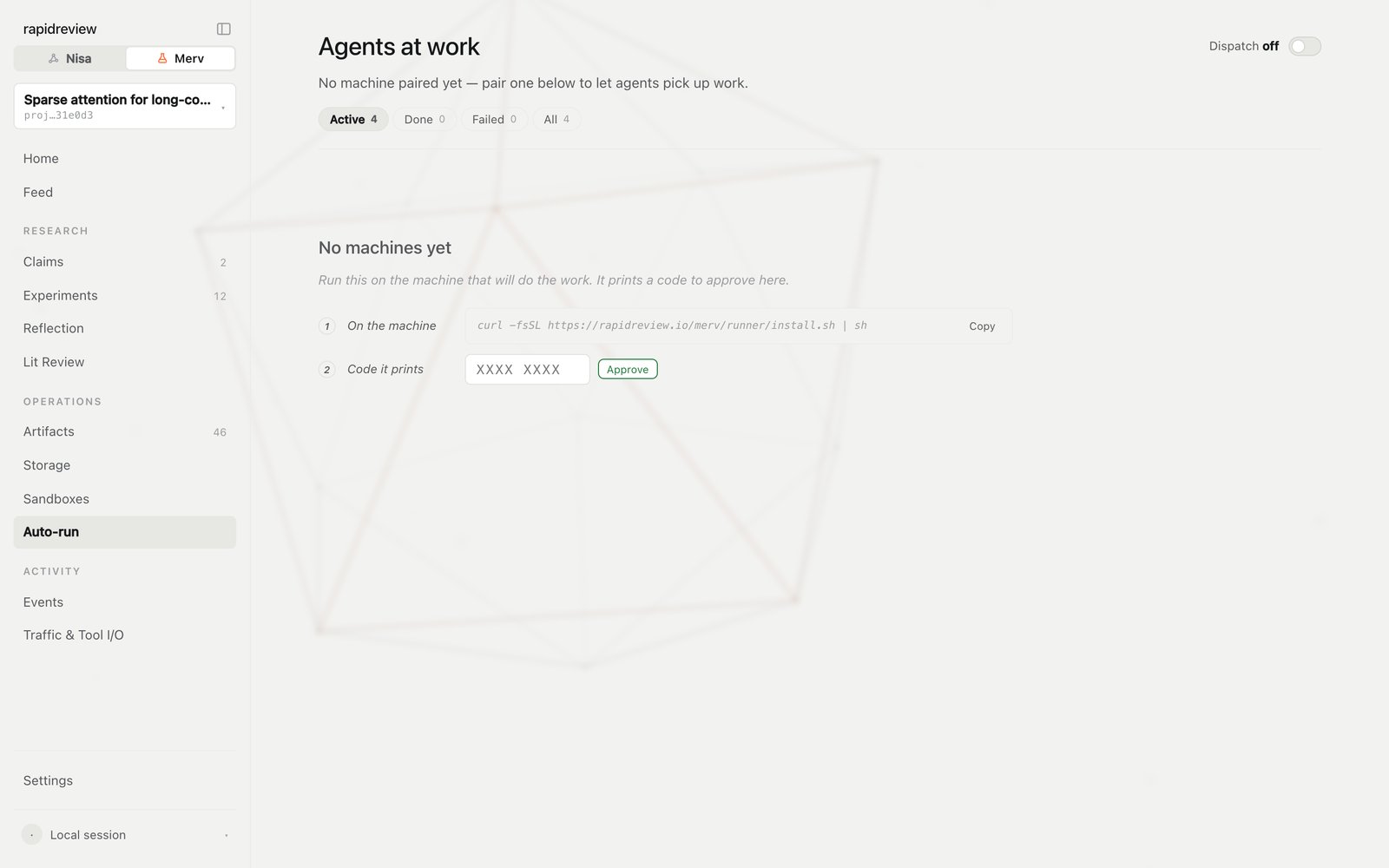
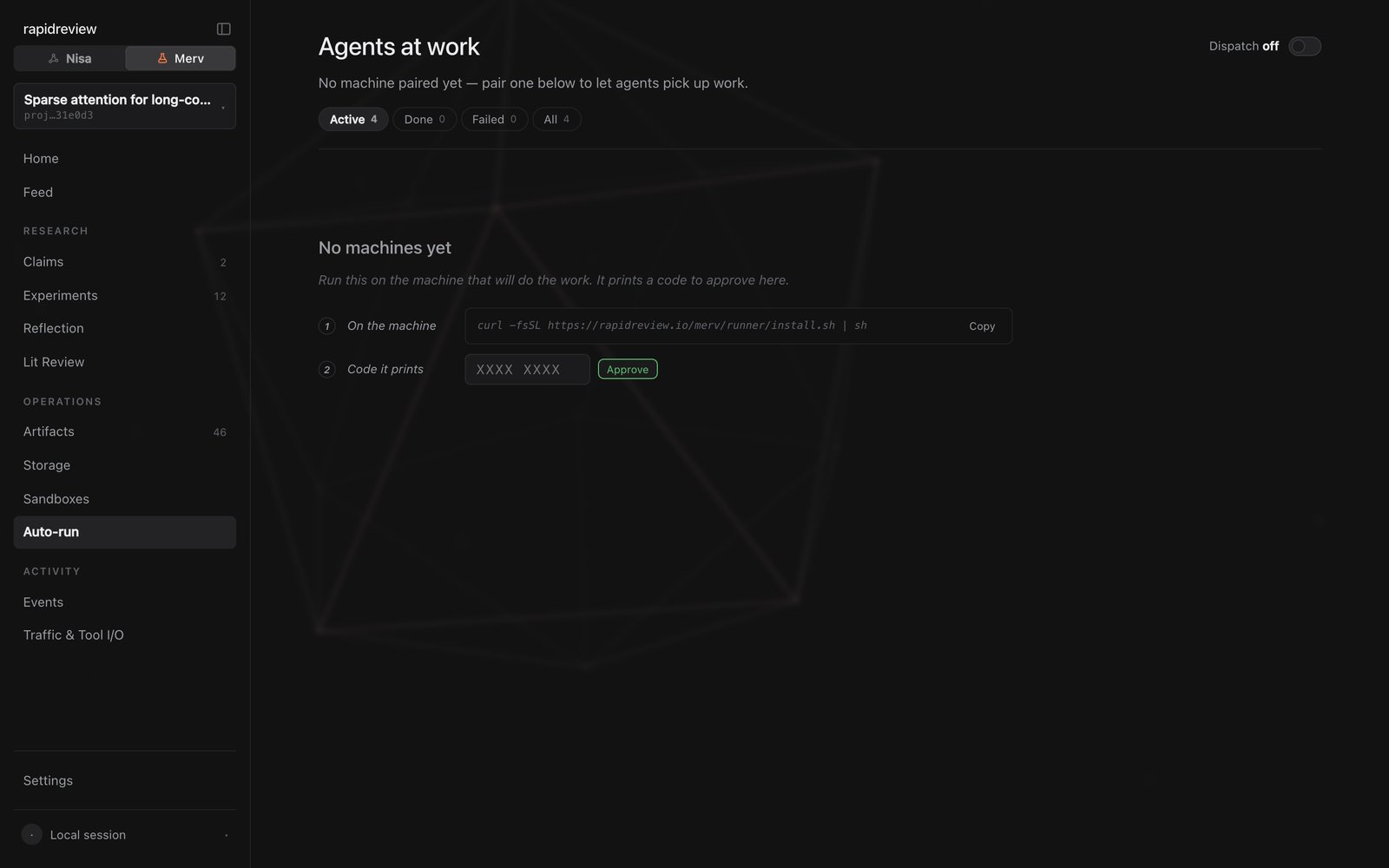 The machine mints its own key and sends only its digest. No browser reaches the machine, no port is forwarded, and nothing is pasted but the code. If you revoke the key later, the runner stops with a re-pair instruction.
On the machine — executables never leave it:
```bash theme={"theme":{"light":"github-light","dark":"dark-plus"}}
CLI=$HOME/.merv/bin/merv-client
$CLI agent codex --enable --command codex --parallelism 2
$CLI agent claude --enable --command claude --model opus --effort high
$CLI workspace --repository /path/to/repo --strategy git_worktree
$CLI harness # installs Merv skills, checks each agent is ready
```
The same settings are editable in the UI's machine drawer: enabled, model, effort, and parallelism per platform, plus the repository, worktree root, and base ref. Changes apply on the next heartbeat and show as **Settings pending** until then.
The machine appears under **Machines** with its agent inventory. Having no agents enabled yet is a valid state.
## What lives where
The brain keeps only what the UI needs: the non-secret heartbeat inventory, the desired tuning per platform, a settings version, and a bounded, redacted excerpt per job — the last events, the tail of stderr, secrets masked.
Everything else stays on the machine under `~/.merv/`: `client.json` (executable argv and custom agents), `agent-runner.key` and `agent-runner.secret`, `agent-sessions.json`, and the full traces in `agent-traces//`.
## Agents
Native adapters exist for Codex, Claude Code, Gemini CLI, Cursor Agent, OpenCode, GitHub Copilot CLI, Qwen Code, and Hermes Agent. Anything else runs through the `command` adapter, which reads the instruction on stdin and emits JSONL on stdout. Aider is unsupported because it produces no complete structured trace.
Each child process receives only `MERV_AGENT_SESSION_KEY`; the runner strips its own credentials first. Codex and Claude Code get an isolated MCP configuration, and the others call tools through `merv-client call`. Because that hides your own plugin from the child, the runner installs the Merv skills itself and links them into each workspace.
## Git worktrees
Worktrees are required. The runner keeps a private bare repository with no remote — Merv never pushes to yours — and one persistent branch per experiment under `~/.merv/worktrees`, reused across sessions. Worktrees prevent Git collisions between agents; they don't stop a hostile agent from reading another's files. Use containers or separate OS users for that.
## Scripted installs
```bash theme={"theme":{"light":"github-light","dark":"dark-plus"}}
curl -fsSL https://rapidreview.io/merv/runner/install.sh | sh -s -- --install-only
```
For CI, create a project key under **Settings → MCP keys**, export it as `MERV_MCP_KEY` (not through shell history), and start the runner with `$HOME/.merv/bin/merv-agent-runner --project proj_123`. On a self-hosted brain, point the client at it first: `merv-client configure --control-url https://your-brain.example.com`.
## Next steps
Every runner and client command and flag.
Machines, live sessions, and where to look when a job stalls.
The machine mints its own key and sends only its digest. No browser reaches the machine, no port is forwarded, and nothing is pasted but the code. If you revoke the key later, the runner stops with a re-pair instruction.
On the machine — executables never leave it:
```bash theme={"theme":{"light":"github-light","dark":"dark-plus"}}
CLI=$HOME/.merv/bin/merv-client
$CLI agent codex --enable --command codex --parallelism 2
$CLI agent claude --enable --command claude --model opus --effort high
$CLI workspace --repository /path/to/repo --strategy git_worktree
$CLI harness # installs Merv skills, checks each agent is ready
```
The same settings are editable in the UI's machine drawer: enabled, model, effort, and parallelism per platform, plus the repository, worktree root, and base ref. Changes apply on the next heartbeat and show as **Settings pending** until then.
The machine appears under **Machines** with its agent inventory. Having no agents enabled yet is a valid state.
## What lives where
The brain keeps only what the UI needs: the non-secret heartbeat inventory, the desired tuning per platform, a settings version, and a bounded, redacted excerpt per job — the last events, the tail of stderr, secrets masked.
Everything else stays on the machine under `~/.merv/`: `client.json` (executable argv and custom agents), `agent-runner.key` and `agent-runner.secret`, `agent-sessions.json`, and the full traces in `agent-traces//`.
## Agents
Native adapters exist for Codex, Claude Code, Gemini CLI, Cursor Agent, OpenCode, GitHub Copilot CLI, Qwen Code, and Hermes Agent. Anything else runs through the `command` adapter, which reads the instruction on stdin and emits JSONL on stdout. Aider is unsupported because it produces no complete structured trace.
Each child process receives only `MERV_AGENT_SESSION_KEY`; the runner strips its own credentials first. Codex and Claude Code get an isolated MCP configuration, and the others call tools through `merv-client call`. Because that hides your own plugin from the child, the runner installs the Merv skills itself and links them into each workspace.
## Git worktrees
Worktrees are required. The runner keeps a private bare repository with no remote — Merv never pushes to yours — and one persistent branch per experiment under `~/.merv/worktrees`, reused across sessions. Worktrees prevent Git collisions between agents; they don't stop a hostile agent from reading another's files. Use containers or separate OS users for that.
## Scripted installs
```bash theme={"theme":{"light":"github-light","dark":"dark-plus"}}
curl -fsSL https://rapidreview.io/merv/runner/install.sh | sh -s -- --install-only
```
For CI, create a project key under **Settings → MCP keys**, export it as `MERV_MCP_KEY` (not through shell history), and start the runner with `$HOME/.merv/bin/merv-agent-runner --project proj_123`. On a self-hosted brain, point the client at it first: `merv-client configure --control-url https://your-brain.example.com`.
## Next steps
Every runner and client command and flag.
Machines, live sessions, and where to look when a job stalls.