> ## Documentation Index
> Fetch the complete documentation index at: https://rapidreview.io/docs/llms.txt
> Use this file to discover all available pages before exploring further.
# Working with sandboxes
> Give the agent a machine on your own cloud account, run long jobs that survive disconnects, and bring the evidence back before the machine goes away.
A sandbox is an SSH-reachable machine that the brain provisions on a provider you have configured, hands to the agent for one experiment, and destroys when the lease ends. This page is the operator's checklist: what you set up once, what the agent does on its own, and where you step in. For the model behind it, read [Sandboxes](/docs/merv/concepts/sandboxes).
## Configure a provider
Open your project in the web UI and go to **Settings → Compute**. Add a provider, paste its credentials, and click **Verify**. Then enable it and set a daily USD limit. The limit is your backstop if an agent leaves machines running.
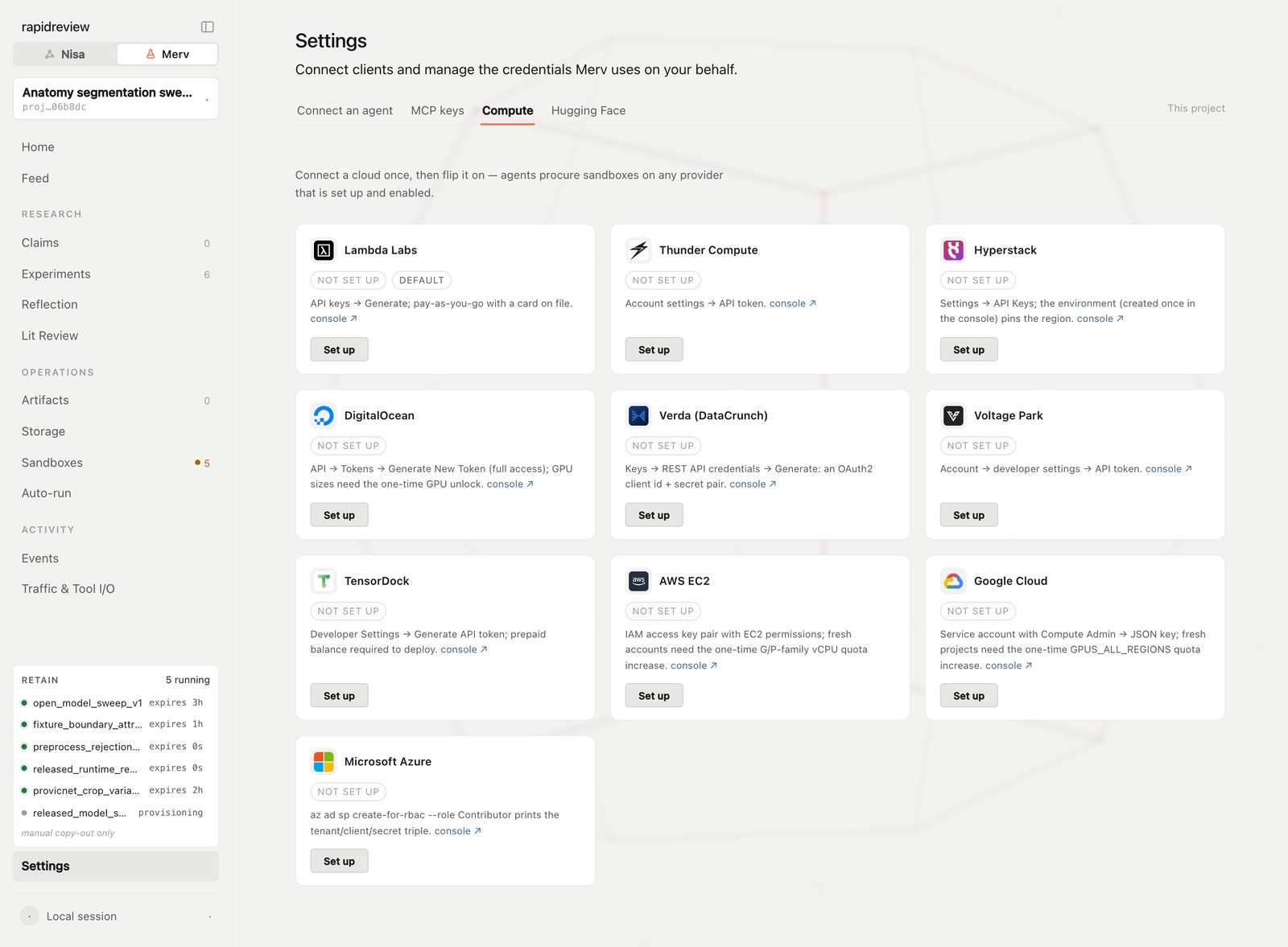
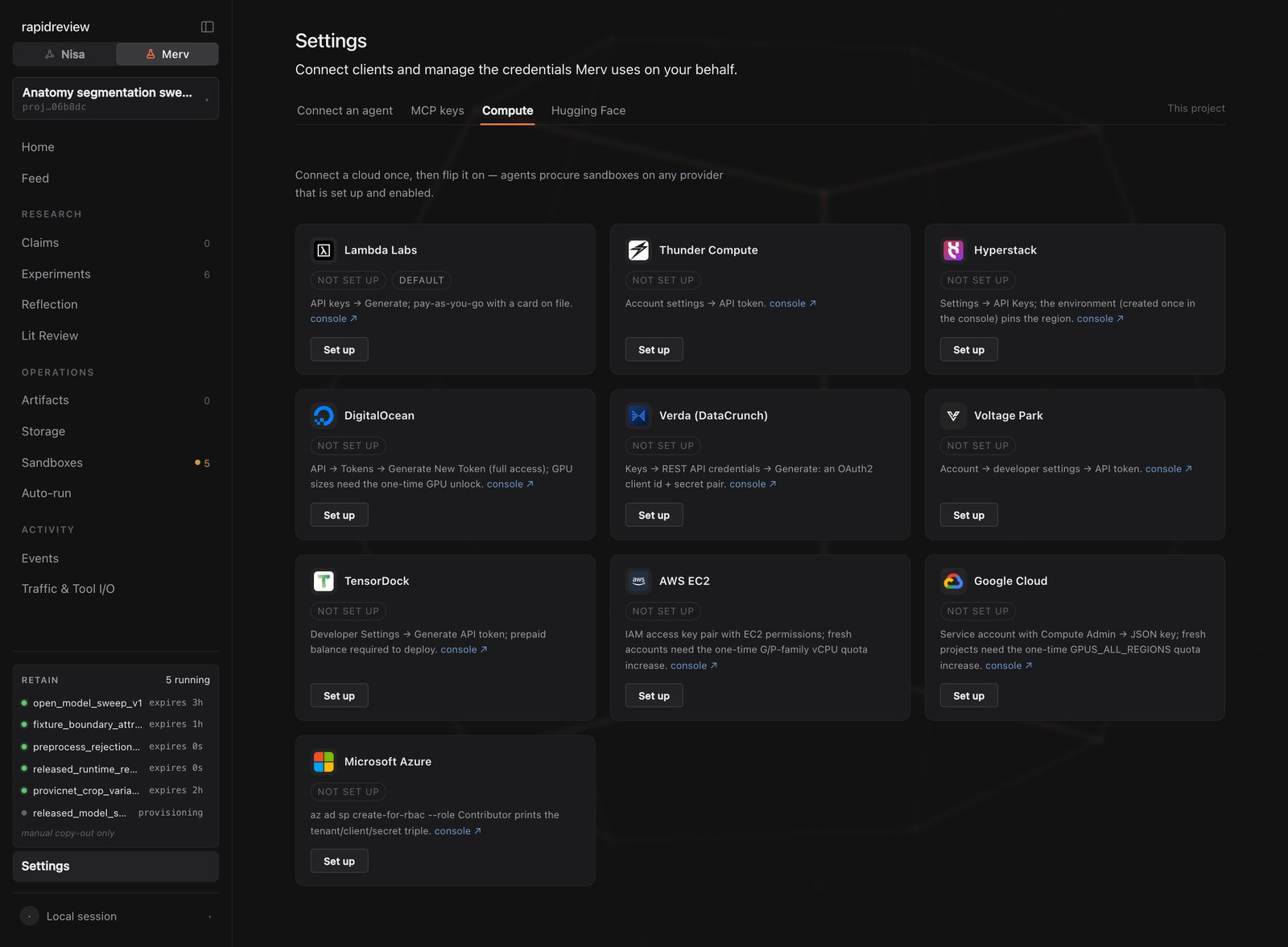 Every provider has its own credential shape and quirks; they are listed in [Sandbox providers](/docs/merv/reference/sandbox-providers). If your runs need gated models, add your Hugging Face token under **Settings → Hugging Face**. Merv pushes it to each sandbox after boot, never through the provider's user data.
## How the agent gets a machine
You don't request machines yourself. The agent does it through the `sandbox-operation` skill:
1. It calls `sandbox.options` to see what your enabled providers offer. Each option is tagged with the provider that serves it and, where the provider exposes one, a price.
2. It picks the smallest option that fits the run and calls `sandbox.request` with that option's provider values and its **public** SSH key.
3. While the machine is `provisioning`, it polls `sandbox.get` at the interval the brain advises. It never loops on `sandbox.request`.
The agent chooses small unless you say otherwise. If a run genuinely needs more, say so in plain terms:
```text You say theme={"theme":{"light":"github-light","dark":"dark-plus"}}
This sweep needs one A100 for about six hours. Don't fall back to a smaller GPU.
```
## Run long jobs with merv\_run
Anything longer than a few minutes runs through the wrapper Merv installs on every sandbox at bootstrap:
```sh theme={"theme":{"light":"github-light","dark":"dark-plus"}}
merv_run --
```
`merv_run` detaches the job from the SSH session, so it survives disconnects, and writes a durable receipt the agent can read back. Labels are one-shot. The agent waits with the watcher rather than a polling loop, and when the run settles it reads both `status` and `exit_code` — finished is not the same as succeeded. How each client waits is on [Long runs and waking](/docs/merv/clients/long-runs).
Two directories matter on the machine:
| Directory | What goes there |
| ---------------------- | ------------------------------------------------------------------------------------- |
| `$MERV_EXPERIMENT_DIR` | Scripts, configs, compact results, reports, figures — the evidence for the experiment |
| `$RP_DATASET_DIR` | Datasets, caches, and bulky checkpoints that can be regenerated |
## Bring the evidence back
Nothing is copied off a sandbox automatically. Before the machine goes away, the agent retrieves what matters:
* `sandbox.pull_outputs` returns a command the agent runs on its own machine, with its private key, to copy files down.
* Heavy files — checkpoints, datasets, logs over roughly 10 MB — go to object storage instead. The agent computes the sha256 and size, calls `storage.submit`, runs the upload command it returns, and confirms with `storage.find`.
* Artifacts must exist locally before `artifact.submit`. The brain never reaches into the sandbox for them.
The storage model is on [Artifacts and storage](/docs/merv/concepts/artifacts-and-storage).
## Extend or release
| When | What happens |
| ----------------------- | ------------------------------------------------------------------------------------------------------------------------------------------------------------------------------ |
| The run needs more time | The agent calls `sandbox.extend`. Support and limits depend on the provider. |
| The work is done | The agent calls `sandbox.release` twice. The first call returns a retention checklist and destroys nothing; the second, with `confirm_retained: true`, terminates the machine. |
| The lease expires | The brain terminates the machine without asking. Anything not retained is gone. |
On every VM provider a stopped machine still bills its disks. Only termination stops charges — which is what release does.
## Watch and steer from the UI
Every provider has its own credential shape and quirks; they are listed in [Sandbox providers](/docs/merv/reference/sandbox-providers). If your runs need gated models, add your Hugging Face token under **Settings → Hugging Face**. Merv pushes it to each sandbox after boot, never through the provider's user data.
## How the agent gets a machine
You don't request machines yourself. The agent does it through the `sandbox-operation` skill:
1. It calls `sandbox.options` to see what your enabled providers offer. Each option is tagged with the provider that serves it and, where the provider exposes one, a price.
2. It picks the smallest option that fits the run and calls `sandbox.request` with that option's provider values and its **public** SSH key.
3. While the machine is `provisioning`, it polls `sandbox.get` at the interval the brain advises. It never loops on `sandbox.request`.
The agent chooses small unless you say otherwise. If a run genuinely needs more, say so in plain terms:
```text You say theme={"theme":{"light":"github-light","dark":"dark-plus"}}
This sweep needs one A100 for about six hours. Don't fall back to a smaller GPU.
```
## Run long jobs with merv\_run
Anything longer than a few minutes runs through the wrapper Merv installs on every sandbox at bootstrap:
```sh theme={"theme":{"light":"github-light","dark":"dark-plus"}}
merv_run --
```
`merv_run` detaches the job from the SSH session, so it survives disconnects, and writes a durable receipt the agent can read back. Labels are one-shot. The agent waits with the watcher rather than a polling loop, and when the run settles it reads both `status` and `exit_code` — finished is not the same as succeeded. How each client waits is on [Long runs and waking](/docs/merv/clients/long-runs).
Two directories matter on the machine:
| Directory | What goes there |
| ---------------------- | ------------------------------------------------------------------------------------- |
| `$MERV_EXPERIMENT_DIR` | Scripts, configs, compact results, reports, figures — the evidence for the experiment |
| `$RP_DATASET_DIR` | Datasets, caches, and bulky checkpoints that can be regenerated |
## Bring the evidence back
Nothing is copied off a sandbox automatically. Before the machine goes away, the agent retrieves what matters:
* `sandbox.pull_outputs` returns a command the agent runs on its own machine, with its private key, to copy files down.
* Heavy files — checkpoints, datasets, logs over roughly 10 MB — go to object storage instead. The agent computes the sha256 and size, calls `storage.submit`, runs the upload command it returns, and confirms with `storage.find`.
* Artifacts must exist locally before `artifact.submit`. The brain never reaches into the sandbox for them.
The storage model is on [Artifacts and storage](/docs/merv/concepts/artifacts-and-storage).
## Extend or release
| When | What happens |
| ----------------------- | ------------------------------------------------------------------------------------------------------------------------------------------------------------------------------ |
| The run needs more time | The agent calls `sandbox.extend`. Support and limits depend on the provider. |
| The work is done | The agent calls `sandbox.release` twice. The first call returns a retention checklist and destroys nothing; the second, with `confirm_retained: true`, terminates the machine. |
| The lease expires | The brain terminates the machine without asking. Anything not retained is gone. |
On every VM provider a stopped machine still bills its disks. Only termination stops charges — which is what release does.
## Watch and steer from the UI
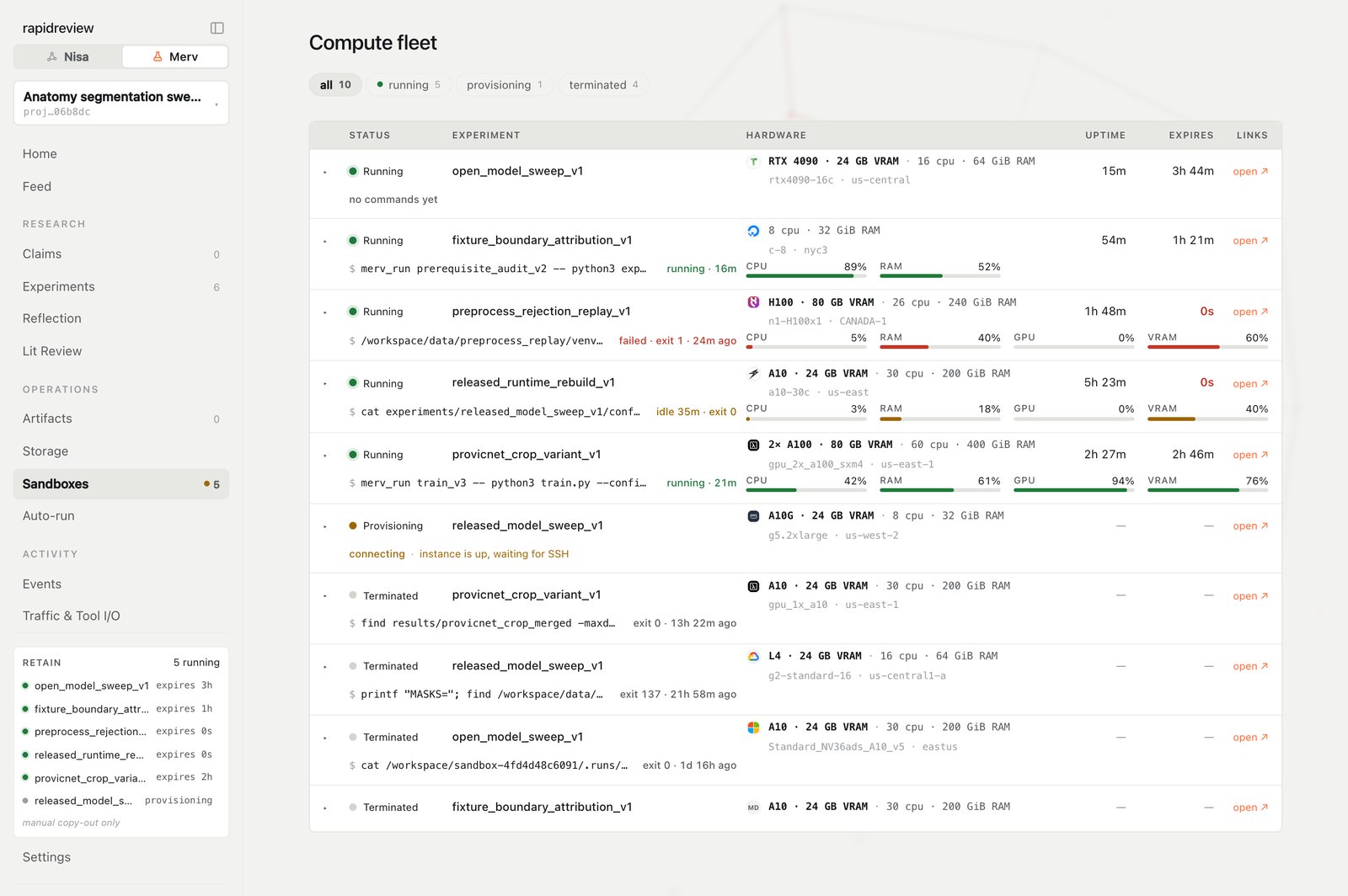
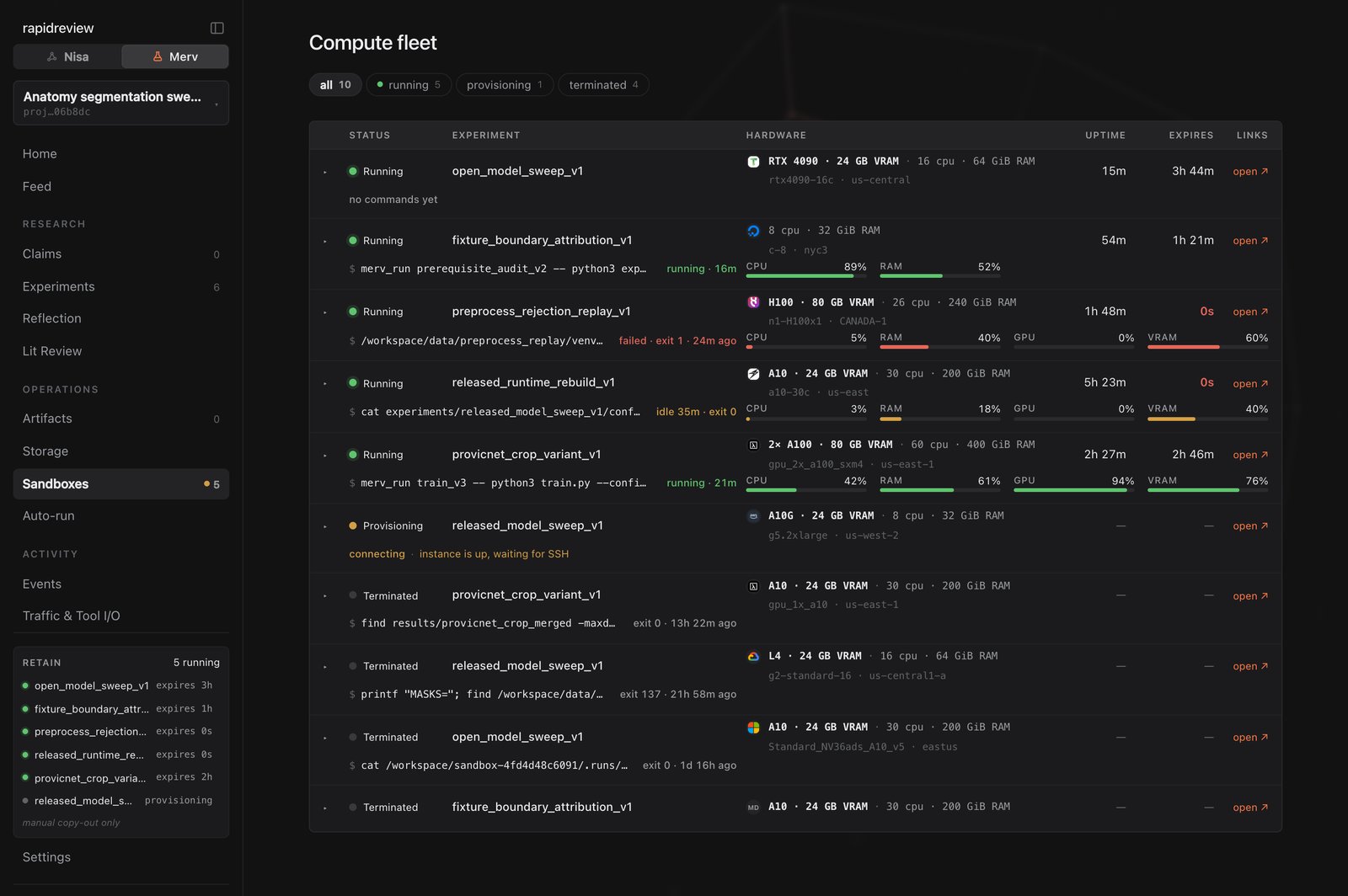 Open a row for the terminal drawer. If an agent has gone quiet, release the machine from here — the daily limit you set per provider catches anything you miss.
## When a run is interrupted
If infrastructure interrupts a run while the approved plan still stands — the machine dies, the provider fails — the agent records `retry_running` with evidence and replaces the machine. A planned retry is only for a changed design, and its outputs stay separate from the original run's.
## Next steps
Credentials, environment variables, and quirks for all eleven providers.
How each client waits for merv\_run without burning its context.
Leases, receipts, and why nothing is copied back for you.
Where evidence lives and how heavy files move.
Open a row for the terminal drawer. If an agent has gone quiet, release the machine from here — the daily limit you set per provider catches anything you miss.
## When a run is interrupted
If infrastructure interrupts a run while the approved plan still stands — the machine dies, the provider fails — the agent records `retry_running` with evidence and replaces the machine. A planned retry is only for a changed design, and its outputs stay separate from the original run's.
## Next steps
Credentials, environment variables, and quirks for all eleven providers.
How each client waits for merv\_run without burning its context.
Leases, receipts, and why nothing is copied back for you.
Where evidence lives and how heavy files move.